I needed a simple way in a project to generate a common confirmation dialog for Links which fire delete operations. Cause we are already using jQuery and Bootstrap from Twitter, I decided to create a jquery Plugin which uses the Bootstrap Popovers to confirm these actions.
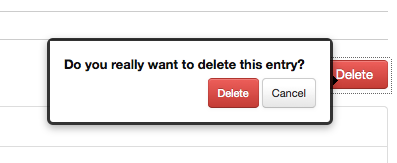
It is pretty simple, when a user clicks on a link the Popup appears. The red button in the popup automatically uses the anchor text but the message and the cancel button text can be set through options.
$('a.confirm').confirmDialog({
message: '<strong>Do you really want to delete this entry</strong>',
cancelButton: 'Cancel'
});
If anyone wants to use it: jquery.bootstrap.confirm.popover

Sweet, thanks!
Very nice. Do you have an example of how to use this? Is it the same as Twitter Bootstrap Popover examples? Finally, could a form be inserted in to this?
Thanks again!
just include jquery, the bootstrap css (no javascript) and this plugin, and use it for your links as described in the article.
You can find the whole source code in the archive, feel free to modify it for your needs.
Hey Damien,
Thanks a lot for this! I patched the code a bit for my purposes and put the result in a github gist. More info: http://elazungu.wordpress.com/2011/11/03/jquery-confirmation-dialog-with-bootstrap/
Cheers
Dirk
nice fork
thanks for letting me know!
hi, can i have an example on how can i use this plugin? i’m a newbie and i can’t use this plugin properly… thank you very much!
look at the sourcecode in my post. You just create an anchor like that: My Link and execute the javascript snippit of my post. that’s it
Awesome plugin, got it working just fine, however, where should I throw a return false; ? The page jumps to the top once the Delete button is clicked….
I like your plugin. I’d like to suggest adding a link to a demo and/or a working zip of the source.